Mailbox
Read, search, reply, forward, and archive messages. Compose rich-text email with contact autocomplete and your signature.
 Robin Suite
Robin Webmail / Mailbox Workspace
Mail, contacts, calendar, and your email attachments. Together in a self-hosted browser workspace.
Read messages, compose replies, organise contacts, and plan your week. Find documents and images across your mail without opening every message.

The User's Side of the Suite
Admin operates the infrastructure. Webmail is where mailbox users work with their messages, contacts, appointments, and attachments.
Read, search, reply, forward, and archive messages. Compose rich-text email with contact autocomplete and your signature.
Keep names, addresses, company details, and groups together. Import contacts from vCard files.
Organise calendars, appointments, and recurring events. Bring in events through iCalendar imports.
Find files across indexed messages and preview Office documents as PDFs in your browser. Open Word, Excel, PowerPoint, OpenDocument, and RTF attachments from Documents or the message itself; download the original file when you need it.
Browse image attachments in a visual workspace and organise them with media labels.
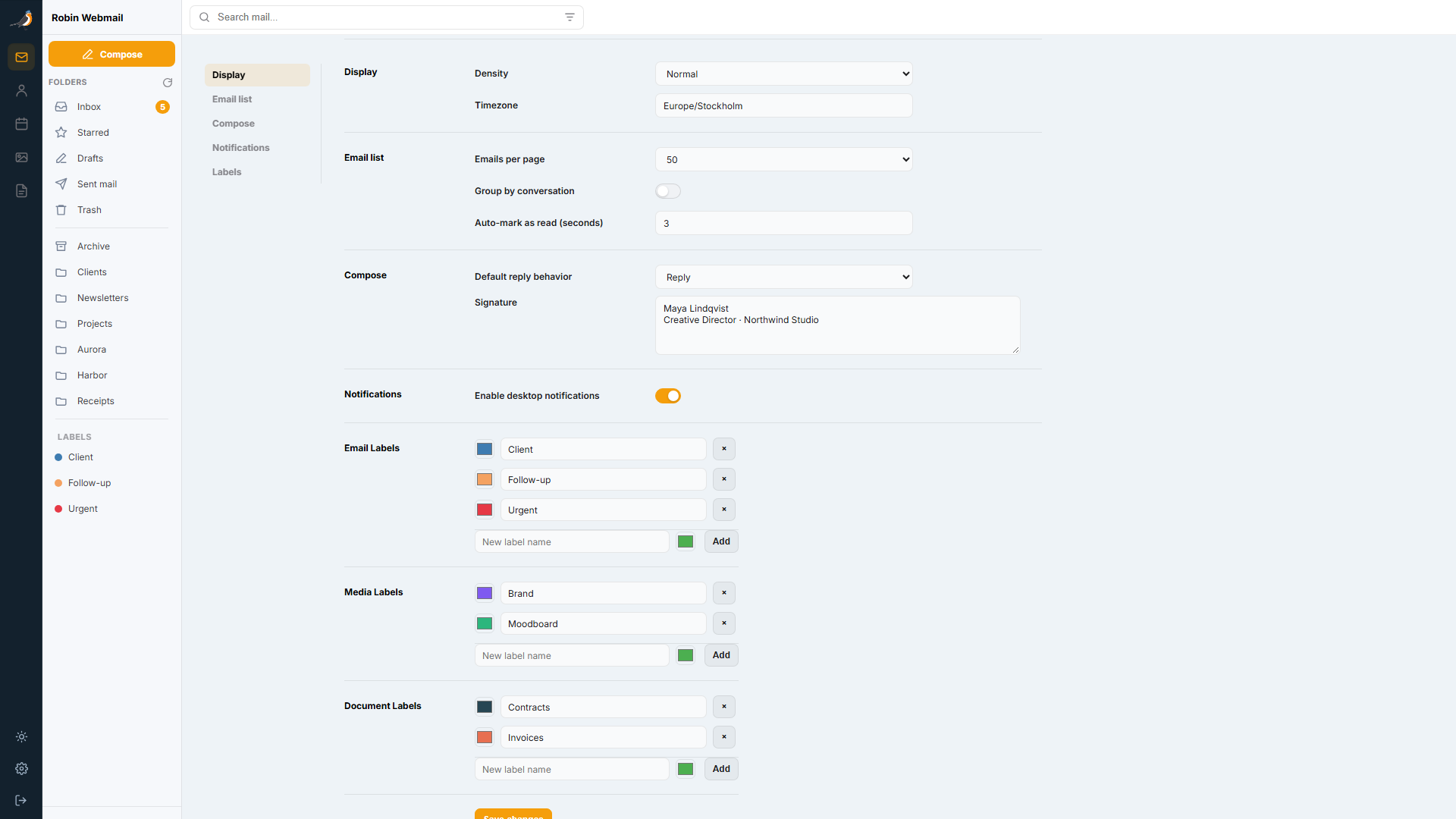
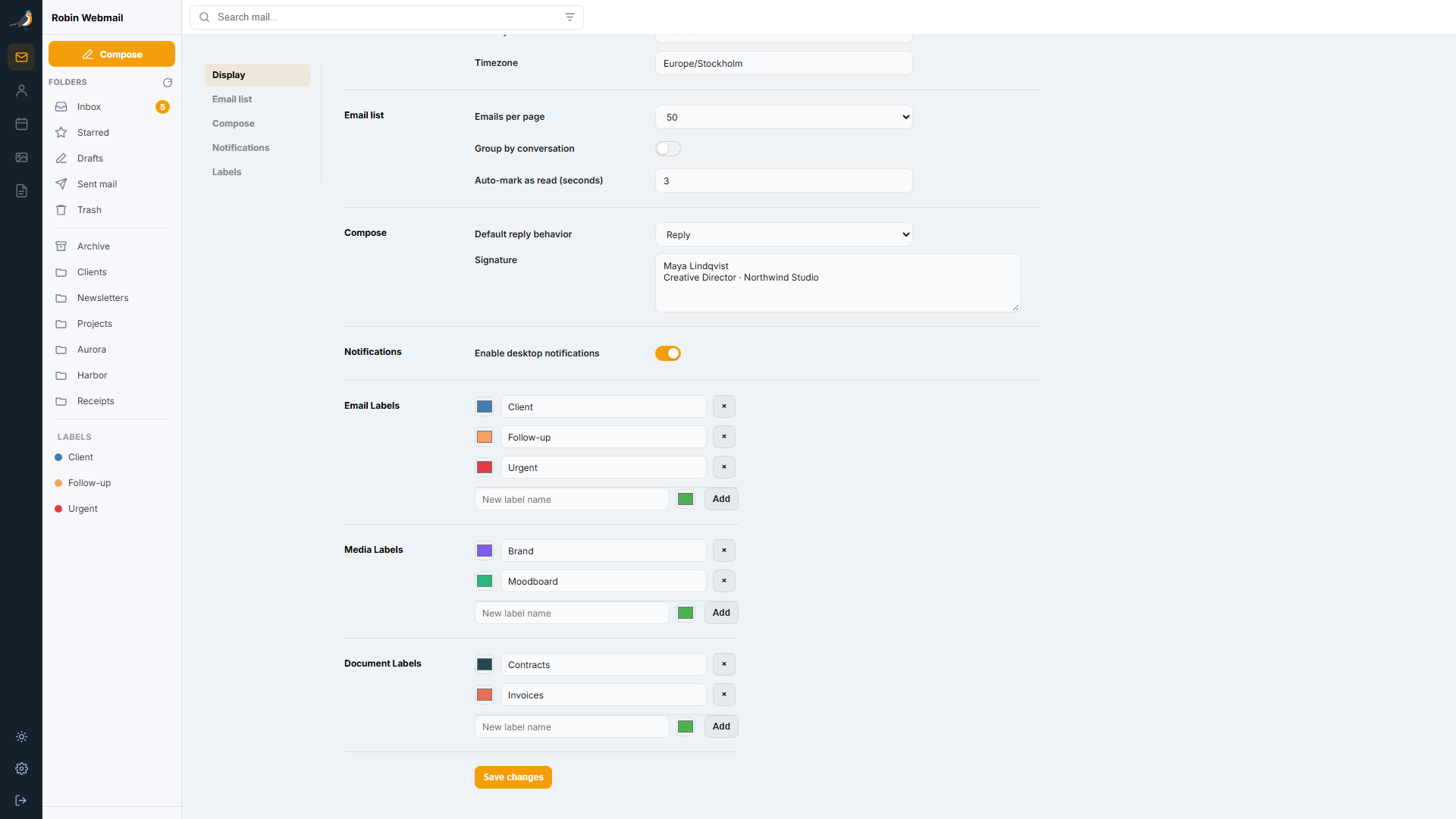
Choose display density, timezone, email-list size, reply behavior, signature, and desktop notifications.
Documents and Media bring indexed email attachments into dedicated views. Contacts and calendars are stored in your Webmail deployment.
Development Preview
Captured from an isolated Webmail and IMAP demo with a regular, non-administrator account. All names, messages, appointments, and attachments are fictional. These are genuine desktop captures of the in-development UI, not mockups.
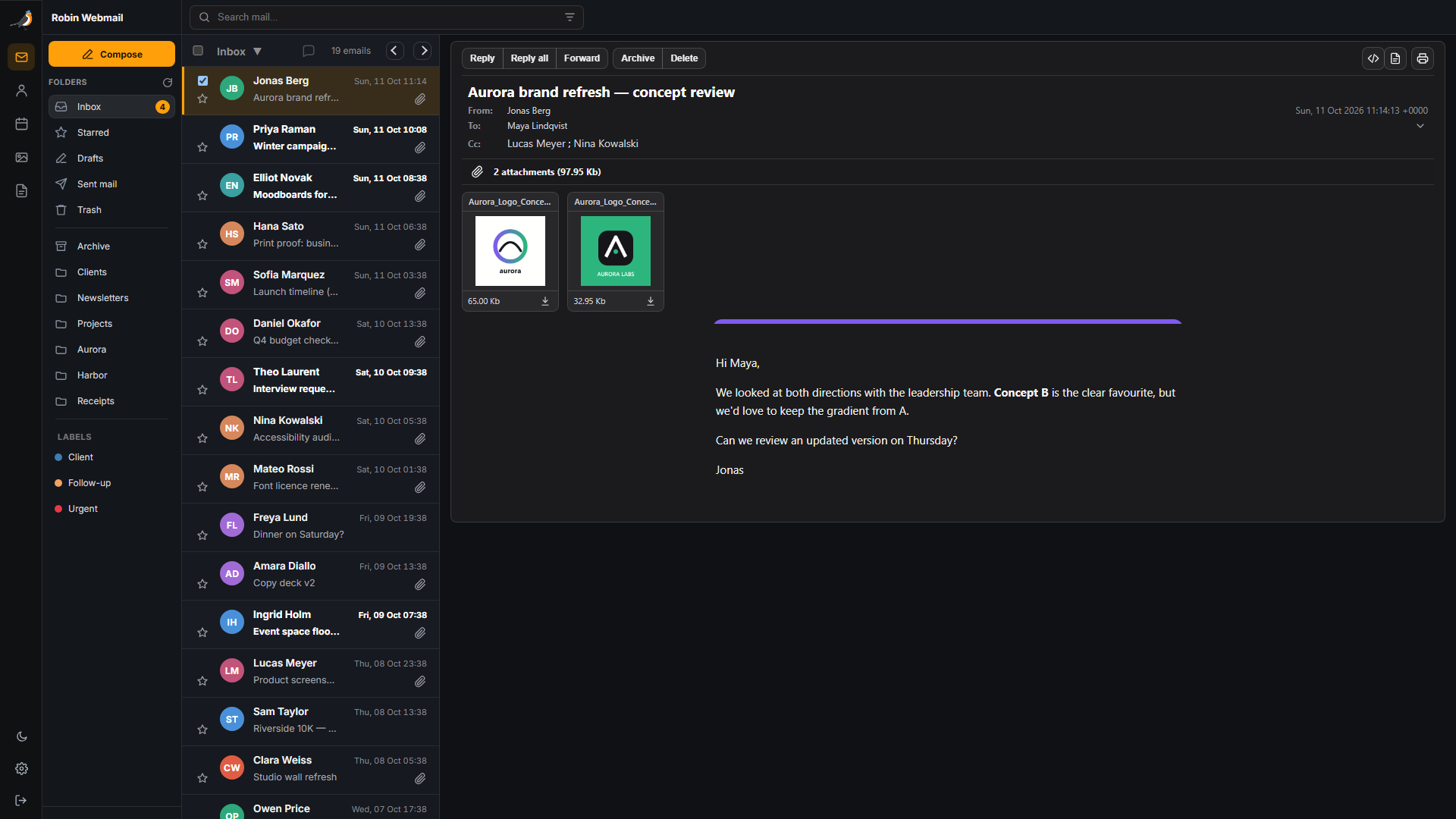
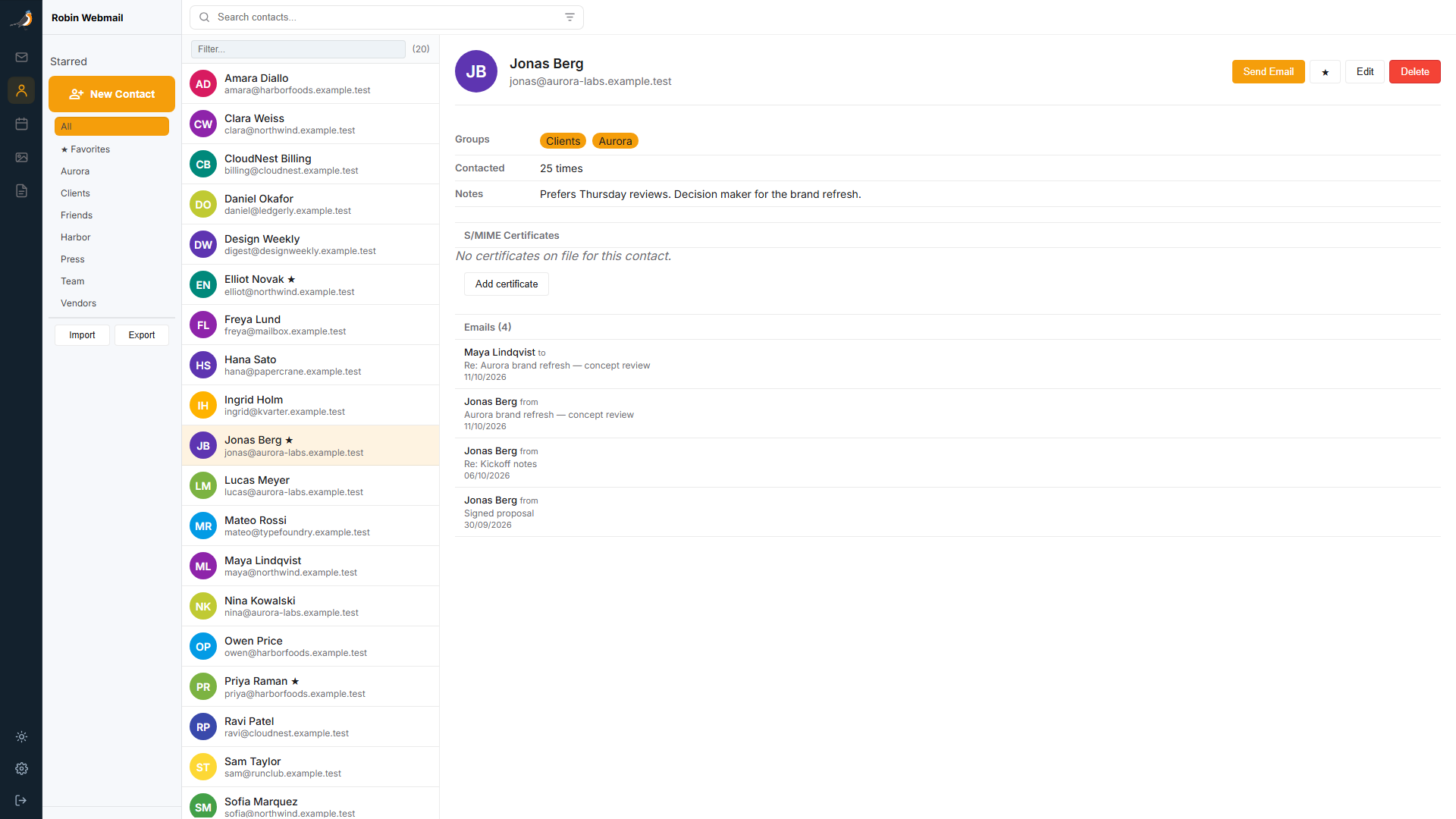
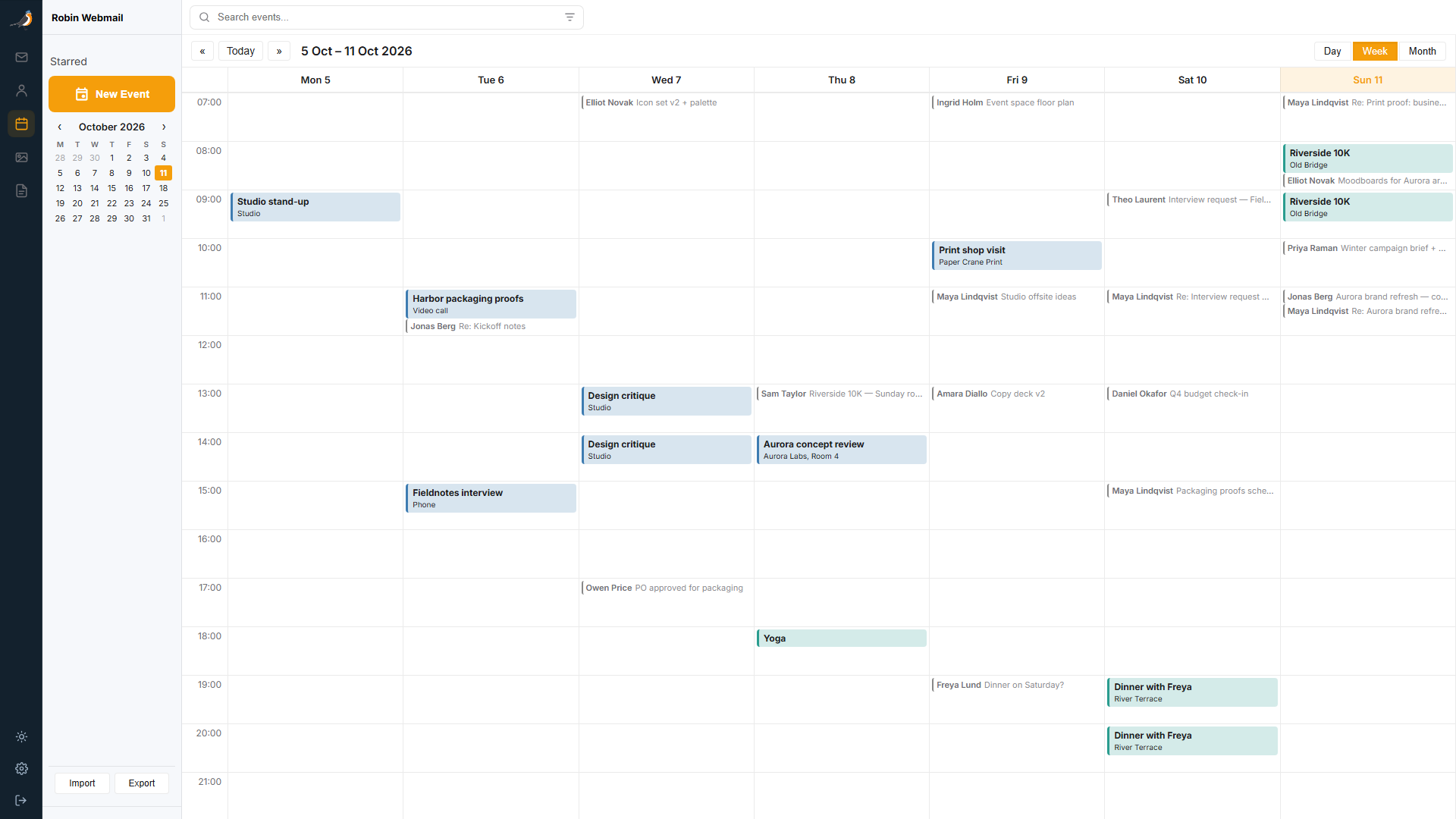
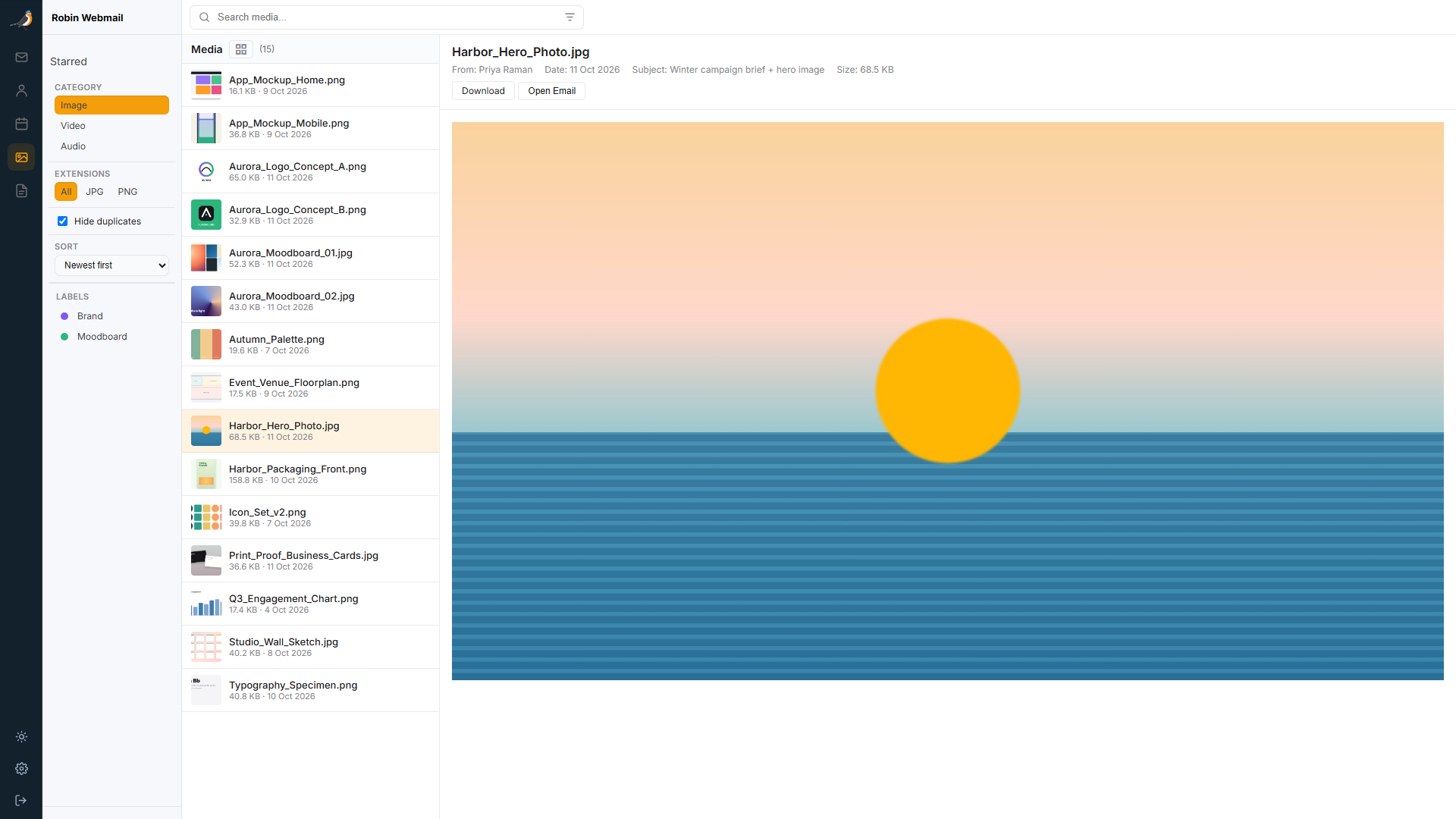
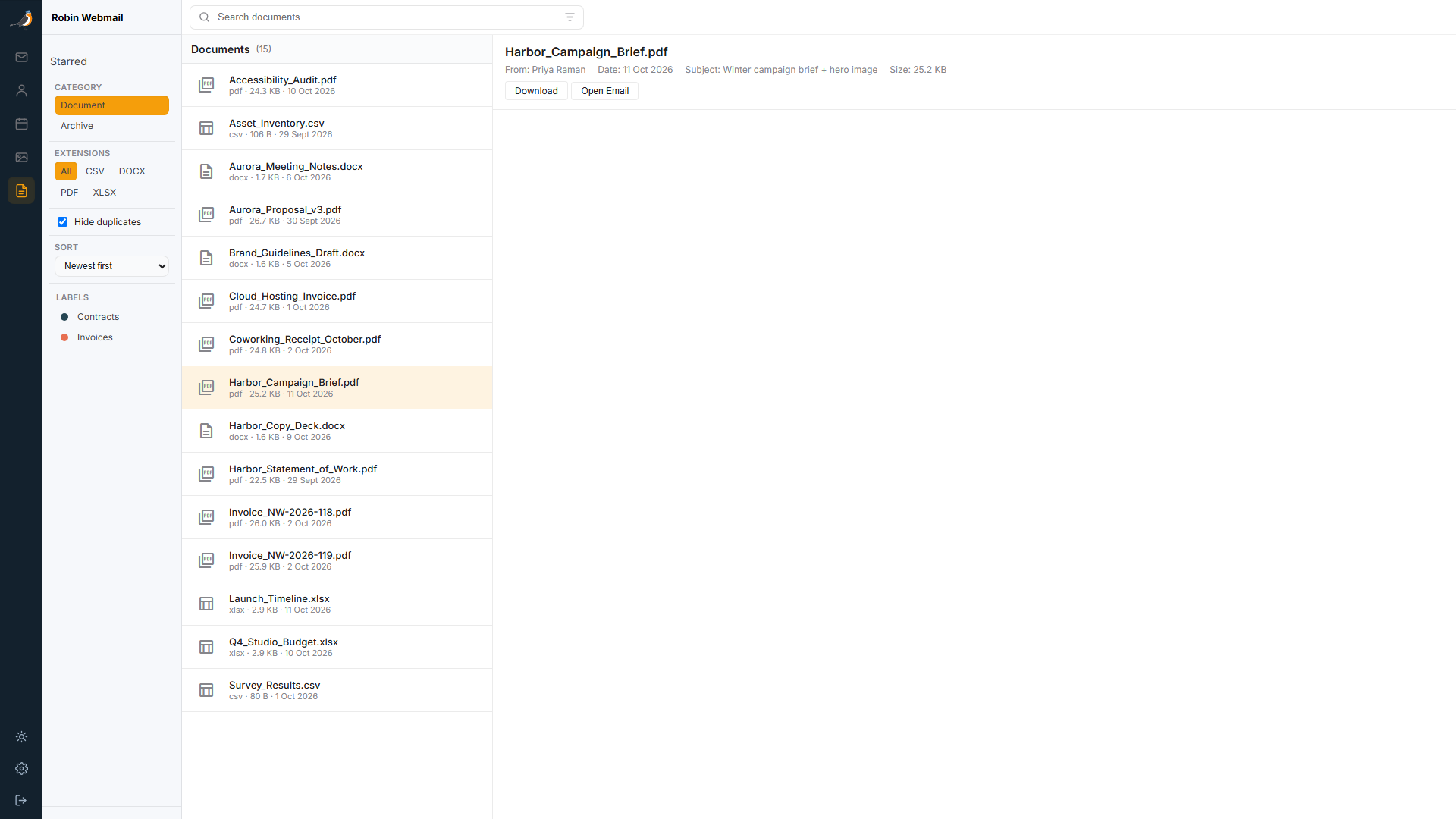
Desktop development previews from an IMAP-backed demo.
Move to Your Own Infrastructure
Move from Gmail, Microsoft 365/Outlook, iCloud, or another IMAP provider with guided imports for mail, contacts, and calendars. Keep your history while making your own domain the home for new conversations.
Discover source folders, map them to local folders, and select date ranges and message limits. Preserve message flags and deduplicate imports using source identity and message content.
Run resumable imports in the background. Follow job status, imported and error counts, and error details; pause, resume, cancel, or retry from the Migrations workspace.
Connect Google and Microsoft accounts through OAuth, with token refresh and connection health. Use app passwords for iCloud and supported authentication for other IMAP providers.
Import vCard and ICS exports with contact merge review and calendar deduplication. Keep contacts and calendars connected through Google, Microsoft, CardDAV, and CalDAV sync.
Set up verified From aliases, check SPF, DKIM, and DMARC readiness through Robin, and reply from the identity that matches the original recipient address.
Administrators choose allowed providers, concurrent-job and message limits, sync duration, and credential-retention policy. Review migration activity through administrative audit controls.
Make It Yours
Choose light or dark appearance and adjust your email list and compose preferences. Regular-user settings are separate from system administration.
Webmail Administration
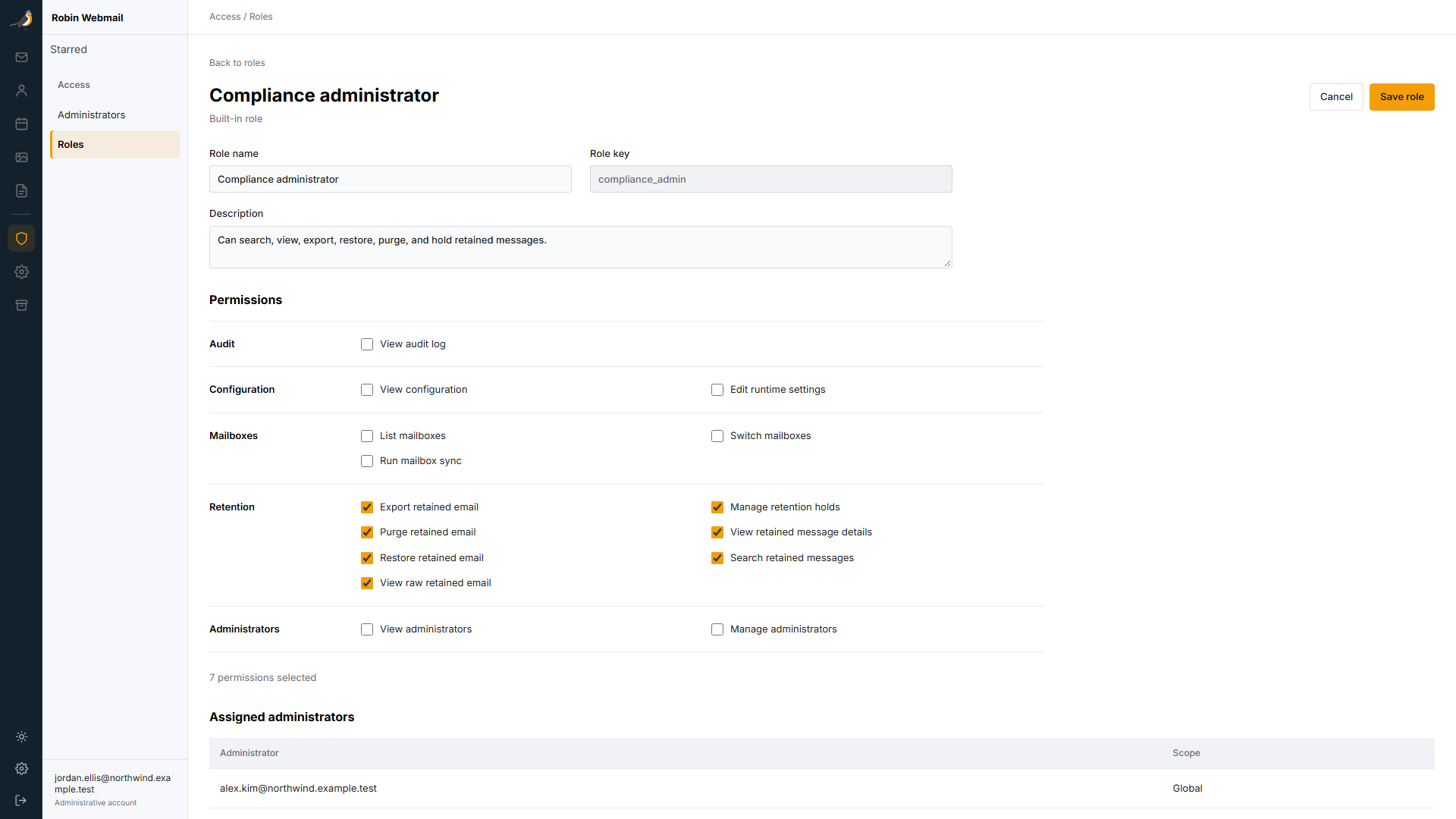
Webmail has its own administrator workspace for roles, configuration visibility, and administrative activity. It is separate from Robin Admin's infrastructure and fleet operations.
Built-in Owner, Mailbox admin, Compliance administrator, Helpdesk, and Auditor roles, plus custom permission sets. Assign administrator roles globally, per domain, or per mailbox.
Manage local storage, retention, sending controls, login rate limits, and attachment inspection limits from the administrator UI. Configure Office document previews with enablement, conversion command, timeout, and file-size limits.
Database connections and credentials, certificate encryption keys, webhook tokens, SMTP passwords, and Robin API secrets remain deployment-managed and are not exposed as editable UI secrets.
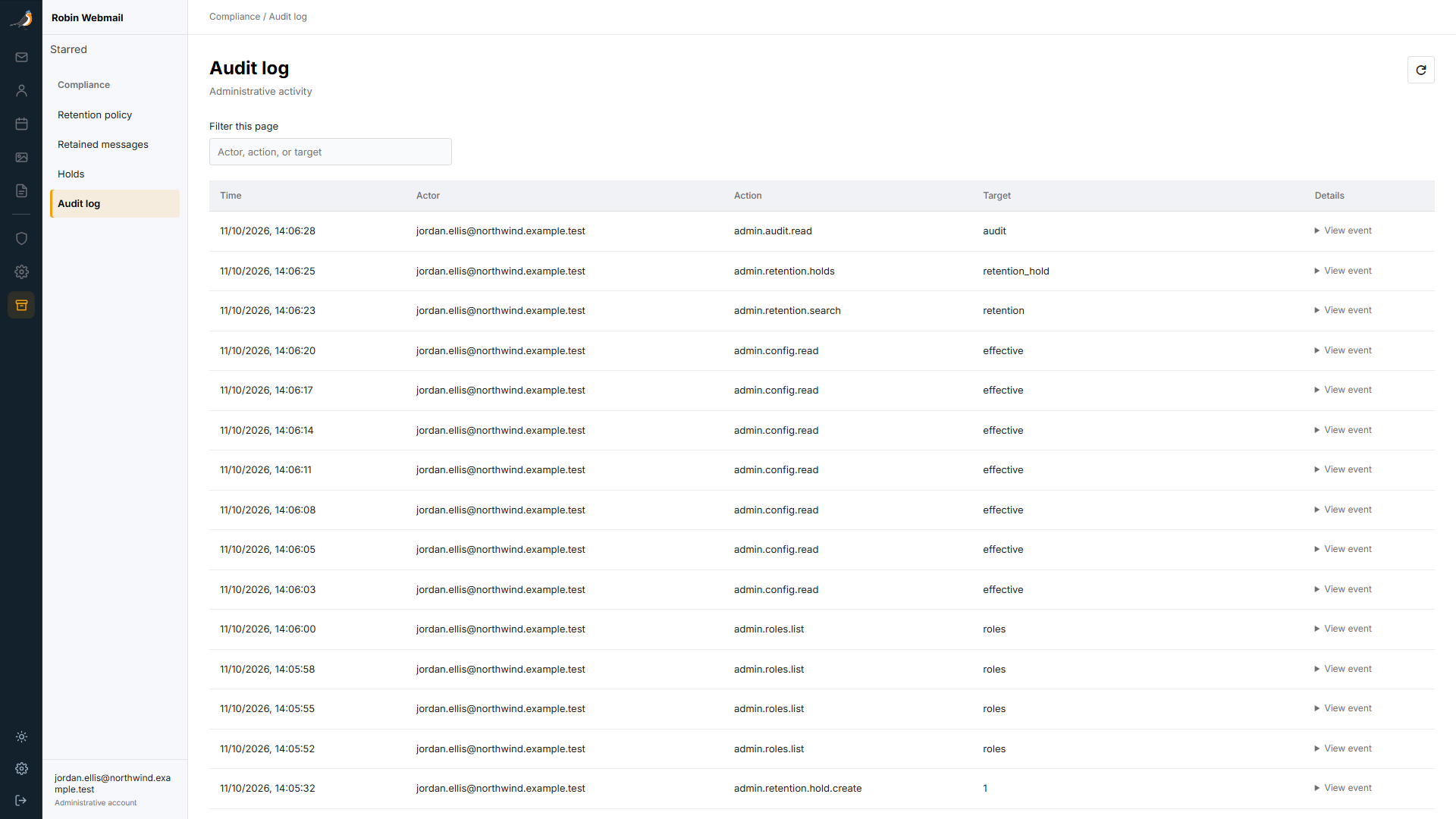
Review recorded administrative activity by actor, action, and target. The demo shows actual role, configuration, and compliance-workspace actions by a fictional administrator.
Retention / In Development
IMAP sync walks mailbox folders, fetches raw messages, and stores raw content or metadata according to your local-storage and retention policy. Previously indexed messages that disappear remotely are marked as retained.
Retention identifies locally captured IMAP messages by provider, mailbox, UID, and UIDVALIDITY. Track retained content back to its source mailbox and message identity.
Configure local storage, retention capture mode, and retention days through runtime-effective administrator settings.
Browse and search retained messages in the administrator workspace.
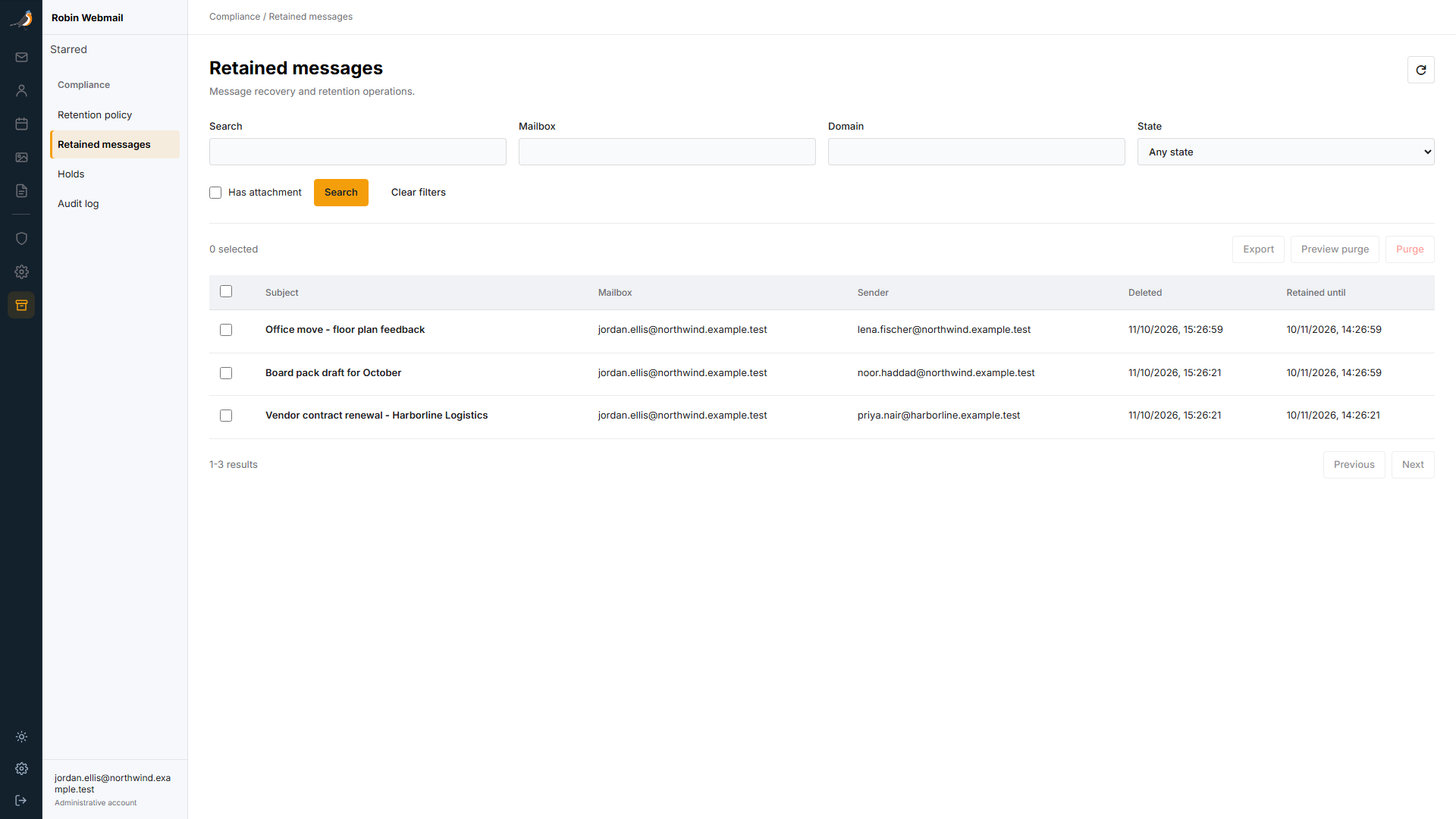
IMAP sync handles local capture, remote-deletion detection, and retention expiry processing.
Next in the Robin Family
Robin Webmail is in active development. Explore the preview today; deployment guides and download links will follow its publication.
One Family. Distinct Responsibilities.
Explore the available Robin projects while Webmail is being prepared for release.